🚗 GPS Knows Where the Truck Went. It Doesn't Know Why. 🚗

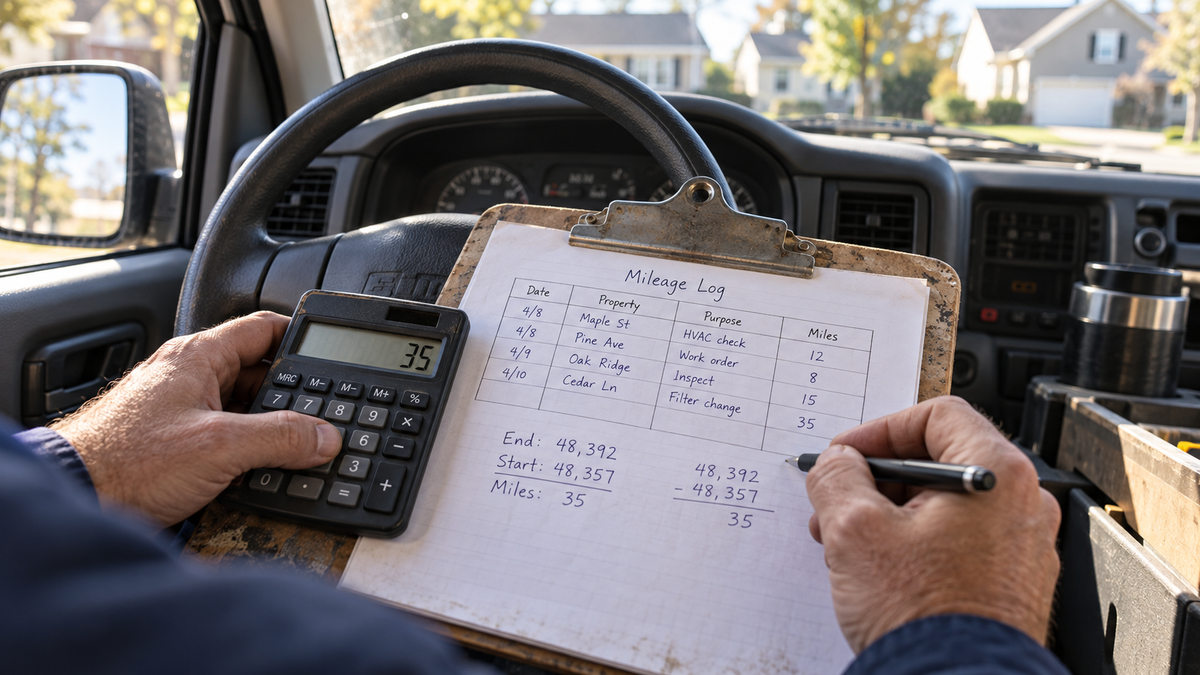
Where did your maintenance truck go last Tuesday?
GPS can tell you, down to the mile. What it can't tell you is which property it was for, or whether that last stop was business or home.
That gap is what we spent October closing. We built our own mileage app, connected our company vehicles’ GPS to it, and wrote down the rules for what counts.
It’s almost ready, and as promised, we’re sharing it with our PM clients. More on that at the end.
🧾 Why mileage needs real records
Mileage isn’t just gas money. It gets billed to the owner’s property, reimbursed to your staff, and deducted on your taxes. All three need proof.
The IRS says you have to back up car expenses “by adequate records or by sufficient evidence” (Publication 463). You also have to keep those records: generally three years from filing, and at least four years for employment tax records.
This year the date matters even more. The IRS raised the business rate in the middle of the year, from 72.5 cents to 76 cents per mile for miles driven on or after July 1 (Announcement 2026-11). A trip without a date doesn’t tell you which rate applies.
A good mileage record has four things: date, miles, property and purpose. Miss the property and you can’t bill the owner. Miss the purpose and you can’t defend the trip.
🧭 Pick your setup
🏡 You outsource most maintenance
Your miles come from showings, inspections, move-ins and move-outs, court dates and bank runs, usually in personal cars. There’s no GPS, so trips are entered by hand: starting and ending odometer, property and reason.

Make the property code required. That one field decides whether the trip gets billed.
🔧 You run an in-house maintenance team
You’ve got company vans and trucks, shared vehicles, people taking vehicles home, and trips all day between properties. This is where GPS pays off, but only if you set the rules first.
🔁 You do both
Most of us do. Our field agent does showings in a company vehicle some days, and other staff drive their own cars. Our app handles both: GPS trips sync on their own, and personal-vehicle trips are entered by hand.
🛰️ How our GPS setup works
Trips from company vehicles sync from the GPS trackers into the app. Nobody types odometer readings for those.
Each trip shows the vehicle, date, start and end, and miles. The driver does two things:
- Picks the property code
- Writes the purpose of the trip
Then an admin approves the business miles. The original GPS miles are never edited. Approved miles are recorded separately, so you can always see both.
GPS also can’t always tell you who was driving. So every vehicle, including shared ones, has one designated contact. That person gets the reminders and makes sure whoever drove fills in the details.
Before you add trackers, check your state’s rules. New Jersey requires written notice before an employer uses a tracking device in a vehicle an employee uses, with fines of up to $1,000 for a first violation and up to $2,500 after that. Connecticut, Delaware and New York also require written notice for some kinds of electronic monitoring of employees. Adding the notice to your vehicle agreement takes one paragraph.
🏠 Our commute rule
GPS shows every trip, so you need a rule for which ones count. Here’s ours:
- Home to the office is the commute. It isn’t counted.
- Once someone’s at the office, company-vehicle driving is business. Office to property and property to property use the actual GPS miles.
- Home straight to a property counts the shorter distance: home to the property, or office to the property.
- The last trip home works the same way: property to home, or property to office, whichever is shorter.
For example, if the trip from home is 15 miles and the office is 10 miles from the property, we approve 10. If the trip from home is 6 miles, we approve 6. Nobody gets billed more than the trip would cost from the office, and nobody gets shorted for living closer.
Any trip that starts or ends near a worker’s home is flagged for review instead of counted automatically. For the IRS side of commuting and car expenses, see Publication 463, and run your rule past your CPA, including how personal use of company vehicles is reported.
🔧 Small fixes that made it stick
Our field agent tested the GPS feature in October and asked for two changes:
- Newest trips first. The trip list now has three tabs: Needs Details, Submitted and Finalized.
- Reminders during work hours. The daily reminder moved from 5 PM to 4 PM. Late trips get finished the next workday, so there’s no after-hours mileage work.
Both were done the same day.
💸 Two GPS tips that save money
Unused trackers still bill. Our provider’s terms say loaned devices stay billable until they’re physically returned. No vehicle, no tracker.
No data doesn’t mean no driving. One tracker stopped reporting while its vehicle was in use. It had lost its cellular connection, and unplugging it for two to three minutes reset it.
📋 What you can steal
- Write your commute rule before you turn on GPS.
- Keep raw GPS miles and approved miles separate. Never edit the original.
- Require date, miles, property and purpose on every trip.
- Give every vehicle one contact person, especially shared vehicles.
- Put the tracking notice and logging rules in the vehicle agreement.
- Start new hires on the app. No paper logs from day one.
- Check your reimbursement against the IRS rate: 72.5 cents per mile through June 30, 2026, and 76 cents from July 1.
- Count trackers against vehicles. Return the extras.
💬 How does your company track mileage?
Hit reply and tell me which one you are:
A. Paper logs or a spreadsheet
B. A mileage app on staff phones
C. GPS on company vehicles
D. We don’t really track it
Then tell me the part that drives you crazy: month-end entry, trips that start from home, shared vehicles, or billing it back to owners.
Our mileage app is almost done, and our PM clients get it first. Want in, or want help setting up your own mileage rules? Reach out to Greg or email your VA Team Lead. We’ll help you set it up, and you can stop chasing missing trips at month-end.
✅ This week
Pull last month’s mileage and count the trips missing a property or a purpose. That’s mileage you can’t bill or defend. Reply and tell me your number.
📚 Read More:
 Regine Collins

 Regine Collins

 Regine Collins

🔗 Check Out Our Industry Partners ✅
| Share with your network |
PM Monthly Forecast
Operational insights for property management companies.
Follow Property Manager Assistant:
YouTube •
LinkedIn •
Facebook •
Instagram
© pmadvisor.ai
Need help implementing these new SOPs into your company? Talk to us about Virtual Assistant Services specifically designed for Property Management Companies.